One-handed interaction
A launcher for the thumb
Maps exposed a simple problem: the action I need most can sit furthest from my thumb. This experiment asks whether one continuous gesture can bring frequent actions back within reach.
The action I use most is the hardest to reach
I usually open a map while walking, carrying something, or navigating an unfamiliar place. In that moment, reachability is part of the task.
Google Maps spends the bottom edge on things I ignore
Explore, You, and Contribute are easy to reach, but I rarely use them. Search and nearby categories are the useful actions for me, yet they remain at the top of the screen.
Apple Maps offers a better baseline
Search and saved places begin near the thumb. Selecting search keeps the field attached to the keyboard while revealing nearby categories and suggestions in the same flow.
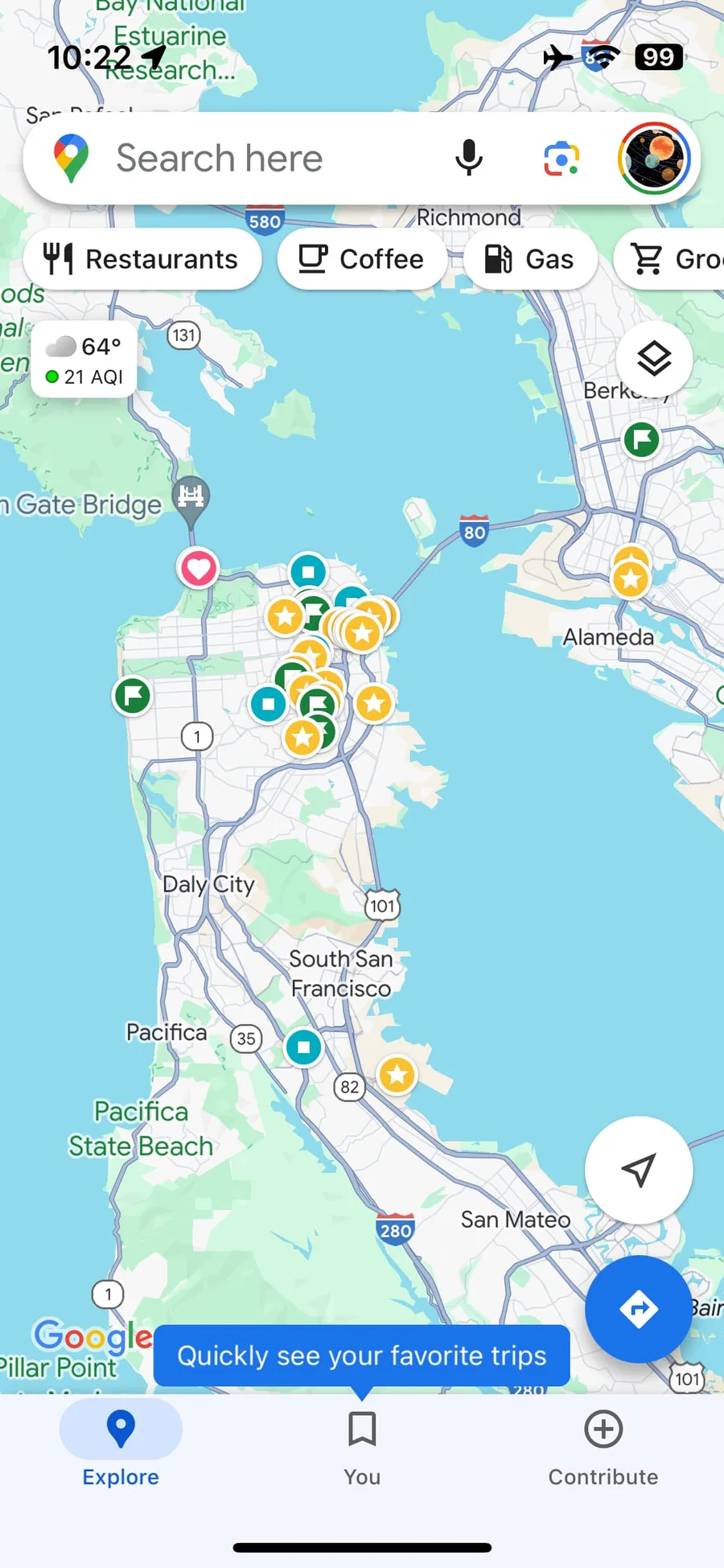
Google Maps
Search stays at the top while the three-tab navigation owns the reachable edge.
Apple Maps, iOS 27 beta
The Liquid Glass sheet moves from the loaded map into search, nearby categories, and suggestions.
Reachability should follow frequency: the action I need most should require the least repositioning.
The continuous gesture already exists
ChatGPT and Slack use different controls, but share the same idea: keep the finger down while intent is refined, then release to commit.
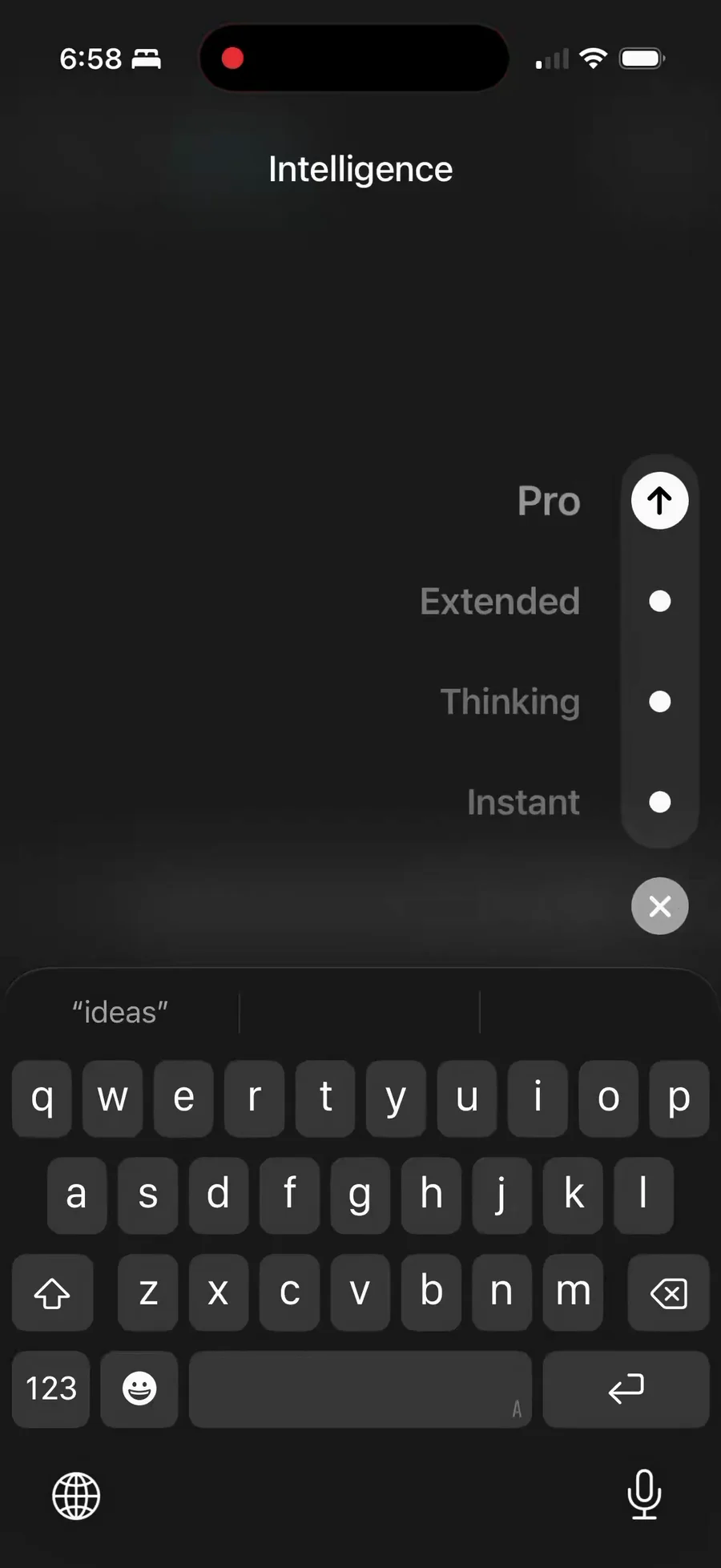
ChatGPT
Hold Send, move through intelligence levels, then release on the choice.
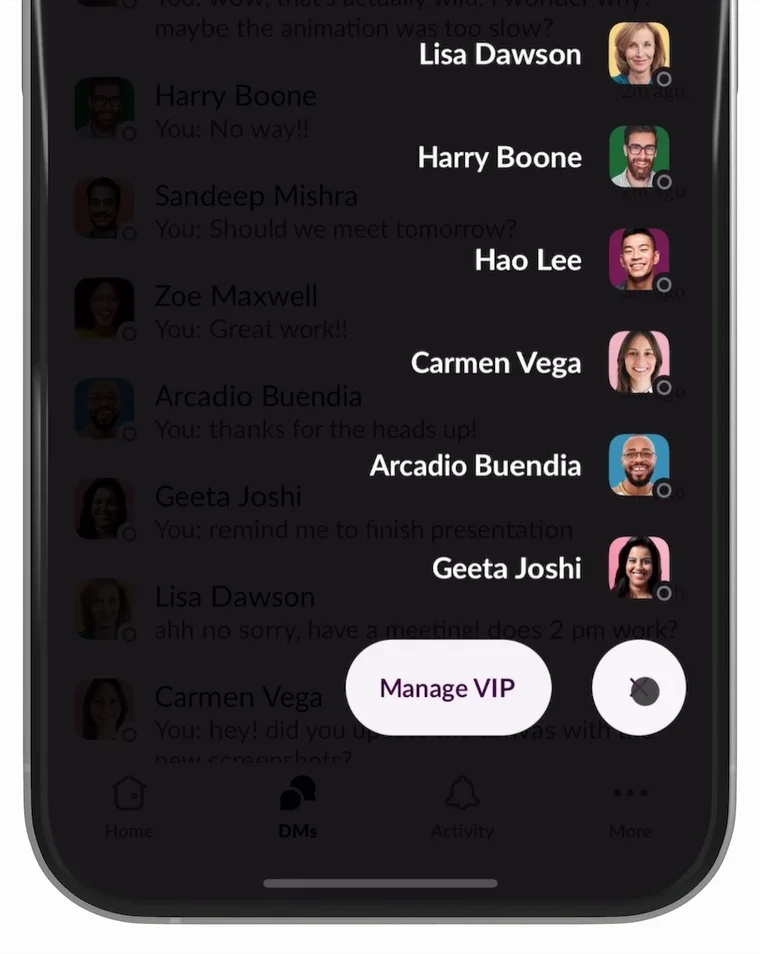
Slack
Hold the Plus Menu and drag directly to a VIP without lifting a finger.
Turn any swipe into a temporary launcher
I applied the same continuous logic to Flashcards Space. Swipe left from anywhere on the screen, move vertically onto an action, and release. The menu exists only for the duration of the gesture.
Try it
Drag left from any point on the phone, move onto New Chat, Create Flashcard, Create New Deck, or Search, then release.
Try Flashcards Space in the App StorePrototype of the Flashcards Space home screen.
A shorter path comes with two tradeoffs
The gesture improves reachability, but it has to coexist with familiar mobile patterns and remain easy to control under imprecise movement.
Gesture conflict
People already swipe list rows to reveal secondary actions. A global leftward swipe could compete with that familiar pattern.
Selection accuracy
The launcher has to forgive imprecise movement and keep the intended action easy to select as the finger moves.
The goal is not another menu. It is a shorter path between intent and action when only one hand is available.